
Pango Theme Park Builder
Studio Pango - Kids Fun preschool learning gamesEducational
3.923.00 Reviews
- Version
- 2.0.3
- Installs
- 10.00K
- Age Rating
- Everyone
Screenshots
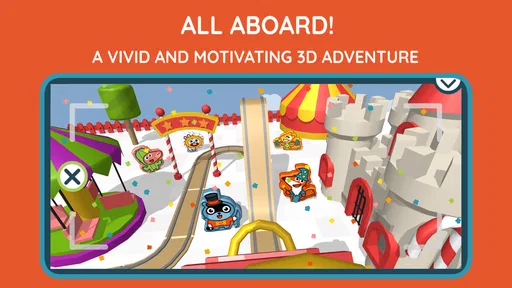

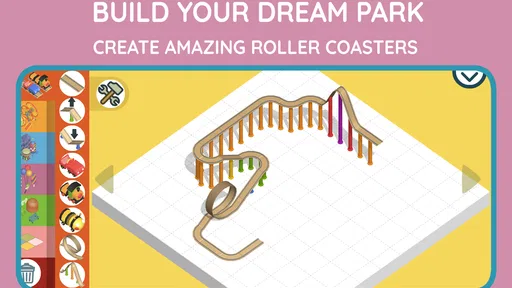
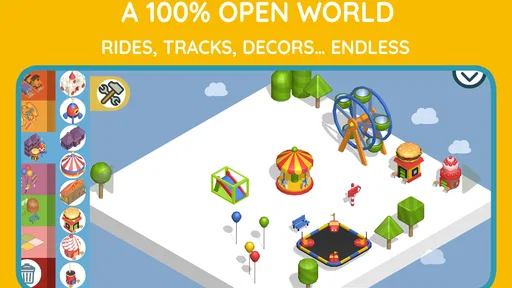
Our Review of Pango Theme Park Builder
 Analysis by Appyee
I’d approach Pango Theme Park Builder as a small, creative play space rather than a full theme-park management simulation. Its appeal is the chance to arrange attractions, try out a ride and see a playful park take shape, not to run a business or chase a long checklist of objectives. That distinction matters: if a child wants to make things up as they go, this is a natural fit; if you’re looking for detailed budgets, staff systems or demanding progression, you’ll want a different kind of game.
How quickly the fun gets going
In my experience, the basic idea is easy to grasp: choose park elements, place them, and adjust the layout when something feels off. That low barrier suits younger players, who can start experimenting without first learning a complicated control scheme. It also makes the game handy for a short play session, when there’s time to make one ride or rearrange a corner of the park rather than commit to a long campaign.
The relaxed pace is part of the appeal, but it also sets expectations. This is not the sort of game where I’d expect a rapid succession of challenges or constant new goals. The enjoyment comes from making choices and seeing how the park looks and behaves. If a child is happiest with open-ended play, that can be a strength. If they need clear tasks and frequent rewards to stay interested, the quieter structure may feel less engaging.
What happens during a busy play session
Building can turn into a focused stretch of trial and error: place an attraction, inspect the result, then shift decorations or other elements until the layout feels right. I’d treat that as the game’s main “heavy-use” moment, rather than assuming it demands intense reflexes. For a parent, it’s useful to know that the activity is more about making and revising than about winning quickly.
A practical tip is to encourage a child to build one small area at a time. Starting with a ride and the space around it gives them a manageable design problem and makes it easier to notice what they enjoy changing. It also avoids the familiar frustration of placing lots of things at once and then wanting to redo the whole park. The game’s creative freedom works best when the player is comfortable experimenting in small steps.
When trying it on a phone or tablet, I’d keep expectations modest about how much visual activity a single screen can comfortably show. A child who likes careful arranging may be content to focus on one section; someone who wants to create a huge, tightly packed layout might find that less satisfying. That is a practical trade-off of designing on a handheld screen, not a reason to treat the game as a complex planning tool.
Reliability and the right device expectations
I wouldn’t use the store details alone to promise identical performance on every device. The game is listed for iOS 7.1 or later, and the current version is 2.0.3, but those facts don’t tell me how every older phone will handle a busy scene. If you’re installing it on a device that already struggles with other games, keep the first session simple and see how it feels before handing it over for a longer stretch.
For a smoother family handoff, I’d open the game yourself first, check that it launches properly, and let the child explore while you’re nearby. That gives you a chance to see whether the screen is comfortable for them and whether the pace holds their attention. If something interrupts play, restarting the app is a sensible first step, but I wouldn’t promise that every session or device will behave the same way.
The game is made by Studio Pango - Kids Fun preschool learning games, and it is classed as an educational game for everyone. It has a 3.9 average from around 200 ratings and has passed 10,000 installs. Those figures suggest that it has found an audience, but I’d put more weight on whether your child enjoys open-ended construction than on the rating alone.
Who will enjoy building here
I can see this working well for a child who likes pretend play, arranging toys, or inventing stories around rides and visitors. It can also make a pleasant shared activity: an adult can ask a child why they put a particular attraction in one spot, then let them change the plan. That kind of conversation gives the building a little purpose without turning play into a lesson or insisting there is one correct design.
One useful way to stretch a session is to set a simple theme before building: make a park with a bright entrance, a quiet corner, or a route that leads visitors past a favorite attraction. These are ideas a child can interpret freely, not strict objectives. They encourage planning and sequencing while leaving room for the silly combinations that are often the best part of a child’s design.
For example, on a rainy afternoon when a child has already tired of drawing, I’d offer this as a calm alternative they can dip into. They could place a ride, add nearby decorations and talk through what their visitors might do next. It is better suited to that sort of unhurried moment than to a quick game built around winning a round before the car arrives.
Where it sits among other children’s games
Compared with a coloring app, this gives a child more to arrange and observe; compared with a structured puzzle game, it leaves more decisions open. That makes it a good choice when you want imaginative construction rather than a set of right-or-wrong answers. On the other hand, a puzzle game may be a better pick for a child who wants clear goals, while a drawing app may suit someone who prefers making pictures without managing a whole scene.
The trade-off is that open-ended play depends on the player supplying some of the ideas. A child who enjoys inventing a story for each ride may find plenty to do, while one who expects the game to guide every next move could ask, “What now?” sooner. I’d decide based on how the child usually plays with building toys: if they like rearranging and imagining, this format is promising; if they quickly lose interest without instructions, a more guided educational game may fit better.
Price, access and a realistic fit
At $5.99, this is a paid game, so I’d consider whether its particular kind of play suits the child before buying. The age rating is Everyone, which is reassuring as a broad content label, but it doesn’t guarantee that every child will find the game engaging or that an adult won’t need to help with the first session. Its audience is clearest when a child likes creative play and is happy to make their own goals.
The game was released on March 15, 2017, so I’d treat it as an established title rather than assume it offers the newest conventions found in current children’s apps. The version is 2.0.3. Those details are useful context, but the more important question for a family is whether the building itself holds attention. If you want a fresh stream of guided activities, another option may be more suitable; if you want a focused theme-park setting for imaginative play, the premise is specific and easy to understand.
I’d also make the purchase decision with the actual device in mind. A parent can check that the game is available for the intended platform and that the screen feels comfortable for a young player before settling into a longer session. For a child sharing a family phone, a short first try is a practical way to see whether they can manage the controls and enjoy the open-ended format without needing constant help.
Ever wanted to create your own amusement park right from your smartphone? Well, you're in luck because Pango Theme Park Builder lets you do just that. This app is a delightful playground for both kids and grown-ups who have a knack for creativity and love a good theme park adventure.
First Impressions
When I first launched Pango Theme Park Builder, I was greeted with vibrant colors and a welcoming interface that instantly sparked my curiosity. The app is incredibly user-friendly, making it easy for anyone to jump right in and start building. The graphics are charming, with cute characters and animations that bring a smile to your face. It's clear that a lot of thought went into the design to ensure it appeals to both younger and older audiences.
Diving into the Gameplay
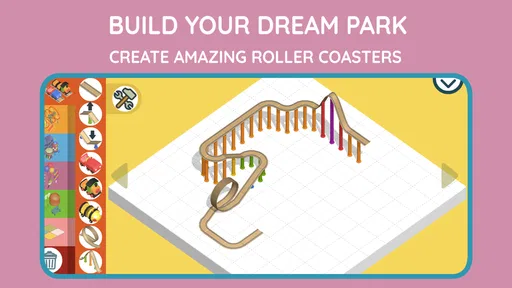
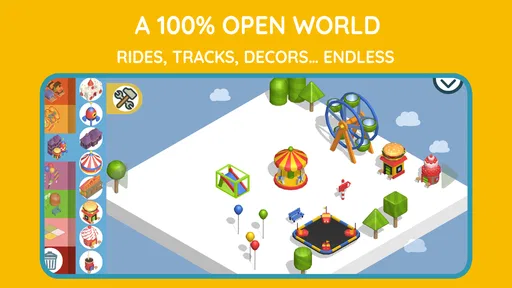
The core of the game is all about unleashing your creativity. You get to design your very own theme park from scratch. Think of it as a blank canvas where you can let your imagination run wild. The app provides a variety of rides, attractions, and decorations to choose from, and it's up to you to place them wherever you see fit. The drag-and-drop mechanic is intuitive, and I found myself easily rearranging my park to my liking.
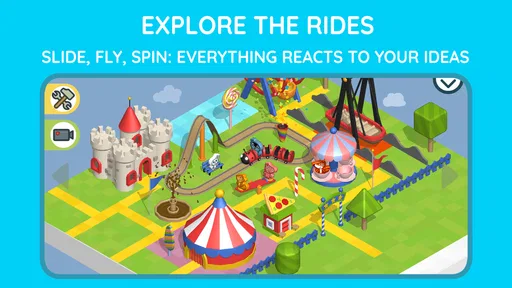
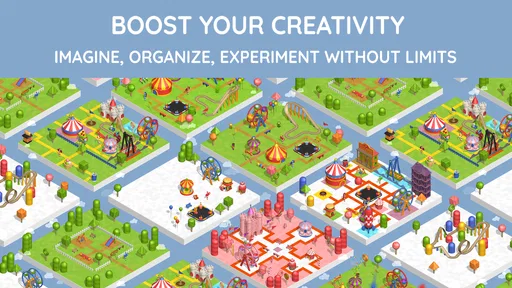
What I loved most was the freedom to experiment. You can mix and match different elements to create a park that's uniquely yours. The app encourages you to try new things and see how they fit together. There's a delightful sense of accomplishment as you watch your park come to life with bustling visitors and exciting rides.
Features That Stand Out
Pango Theme Park Builder offers a ton of features that keep the gameplay engaging. There's a wide range of rides, from roller coasters to ferris wheels, each with its own unique animations and sounds. The level of detail is impressive, and it's fun to see how each ride operates within the park.
Another standout feature is the ability to customize the park's landscape. You can add trees, flowers, and other decorations to enhance the overall aesthetic. There's also a weather feature that adds a dynamic element to the gameplay. Watching your park operate under different weather conditions adds a layer of realism that's quite enjoyable.
Learning Curve and Accessibility
The app is designed to be accessible to players of all ages, which is a huge plus. Younger kids will find the controls easy to learn, and there's enough depth to keep older players engaged. The tutorial is straightforward and does a great job of introducing the game's mechanics without overwhelming the player.
One thing to note is that while the game is free to download, there are in-app purchases available. These purchases can unlock additional features and rides, but they're not necessary to enjoy the game. I appreciated that the app doesn't bombard you with ads or pushy prompts to make purchases, which is a breath of fresh air.
Final Thoughts
Overall, Pango Theme Park Builder is a delightful app that offers a perfect blend of creativity and fun. Whether you're looking for a way to unwind or something to keep the kids entertained, this app delivers. The ability to create and manage your own theme park is both satisfying and addictive. Plus, the charming graphics and intuitive controls make it a joy to play.
If you're a fan of simulation games or simply love the idea of building your own amusement park, I highly recommend giving this app a try. It's a whimsical escape that will have you dreaming of roller coasters and cotton candy in no time. So go ahead, download it today and let your imagination take the wheel!
Verdict
Strengths of Pango Theme Park Builder
- Intuitive drag-and-drop interface.
- Vibrant and engaging graphics.
- Suitable for all age groups.
- Encourages creativity and exploration.
- No in-app purchases or ads.
Limitations of Pango Theme Park Builder
- Limited number of theme park elements.
- Lacks multiplayer or online features.
- May become repetitive over time.
- Requires regular updates for new content.
- Some users report occasional bugs.
Other Releases by Studio Pango - Kids Fun preschool learning games
View All
Pango Kids: Learning Games +3
Educational4.1

Pango Build & Explore City
Educational3.7

Pango Sheep: Count & Play
Educational4.3

Pango Playground for kids
Educational4.0
Similar Picks in This Category
View All
Little Panda Policeman
BabyBus4.0

Monster Trucks Game for Kids 2
Raz Games4.1

Little Panda's Chinese Recipes
BabyBus4.4

Little Panda's Restaurant
BabyBus4.4

Little Panda's Ice Cream Games
BabyBus4.3

Baby Panda Care
BabyBus3.8
Frequently Asked Questions
What is Pango Theme Park Builder?
Pango Theme Park Builder is a creative and interactive app where users can design and build their own theme park. Through a user-friendly interface, players can customize rides, attractions, and park layouts, fostering creativity and strategic planning in a fun, engaging way for both kids and adults.
Is Pango Theme Park Builder suitable for children?
Yes, Pango Theme Park Builder is designed to be kid-friendly. It features intuitive controls and colorful graphics that appeal to children, making it easy and enjoyable for them to create their own unique amusement parks. The app also promotes learning through problem-solving and creativity.
Does Pango Theme Park Builder require an internet connection?
Pango Theme Park Builder does not require a constant internet connection, making it ideal for on-the-go play. Users can enjoy building and playing offline, although some features like updates and additional content might need internet access for downloads.
Are there in-app purchases in Pango Theme Park Builder?
Pango Theme Park Builder may include in-app purchases for additional content such as new rides, themes, or decorative items. These purchases are optional, and the core game is fully enjoyable without them. Parents can manage in-app purchases through device settings.
What platforms support Pango Theme Park Builder?
Pango Theme Park Builder is available on both Android and iOS platforms. Users can download it from the Google Play Store or the Apple App Store, ensuring compatibility with a wide range of devices, including smartphones and tablets.
Play our best games!


